
-

-
Restorer Ultimate Documentation
- Contents
- Index
- Introduction to Restorer Ultimate
- Restorer Ultimate Main Panel, Settings, and Log
- Images and Regions
-
File Recovery
- Recover Files from Existing Logical Disks
- Recover Files from Deleted/Corrupted Logical Disks and Partitions
- Disk Scan
-
Data Recovery from Volume Sets and RAIDs
- Spanned Volumes, Stripe Sets, and Mirrors
- Basic RAID 4 and RAID 5
- RAID 6 Reed-Solomon Presets
- RAID6 (Double Xor) Presets
- RAIDs with Parity Delays
- Advanced RAID Layouts
- Nested and Non-Standard RAID Levels
- Finding RAID Parameters
- Checking RAID Consistency
- Syntax of a Description File for RAID Configurations
- Description Files for RAID Configurations
- Various Disk and Volume Managers
- Data Recovery over Network
- Text/hexadecimal Editor
- Technical Information
© 2020 BitMart Inc.
All rights reserved.
Log
You can access Restorer Ultimate log by clicking Options -> Log on the Options .
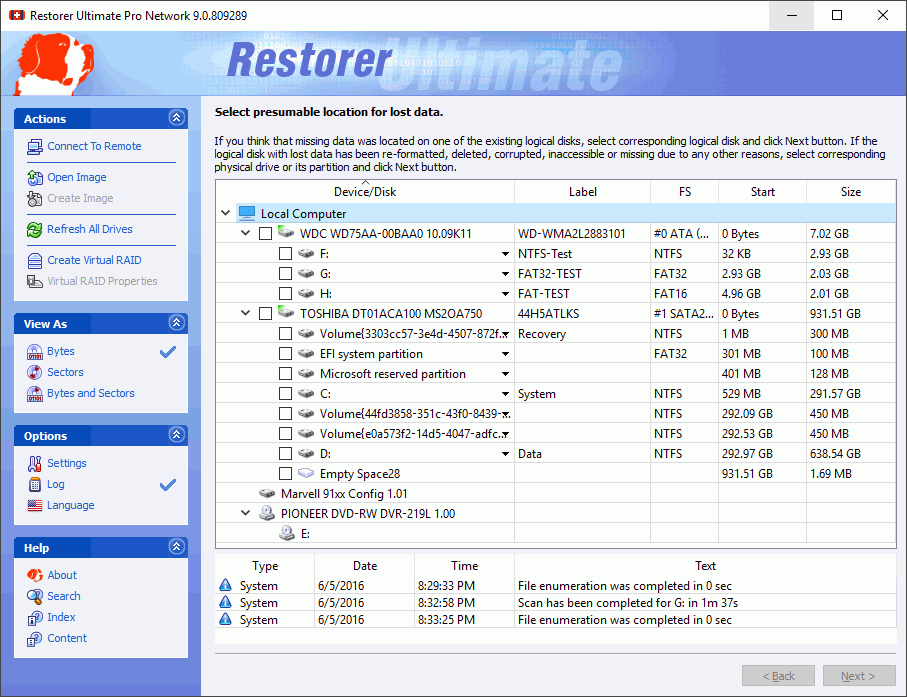
Log panel example
Restorer Ultimate logs data recovery events according to settings specified on its Log dialog box. You may reach this box by either clicking Settings on the Task List , or by right-clicking the Log window and selecting Log Filter on the Log panel's shortcut menu.
Log actions
Using this shortcut menu, you may also:
• Clear Log content: select Clear Log on the shortcut menu.
• Copy Log content to Clipboard: select Copy to Clipboard on the shortcut menu.
• Save Log content to a file: select Save Log to File on the shortcut menu.